
This article describes a simple digital photo frame, written in Lisp, that loads photographs from a website and displays them on an M5Stack Tab5 high-resolution display:
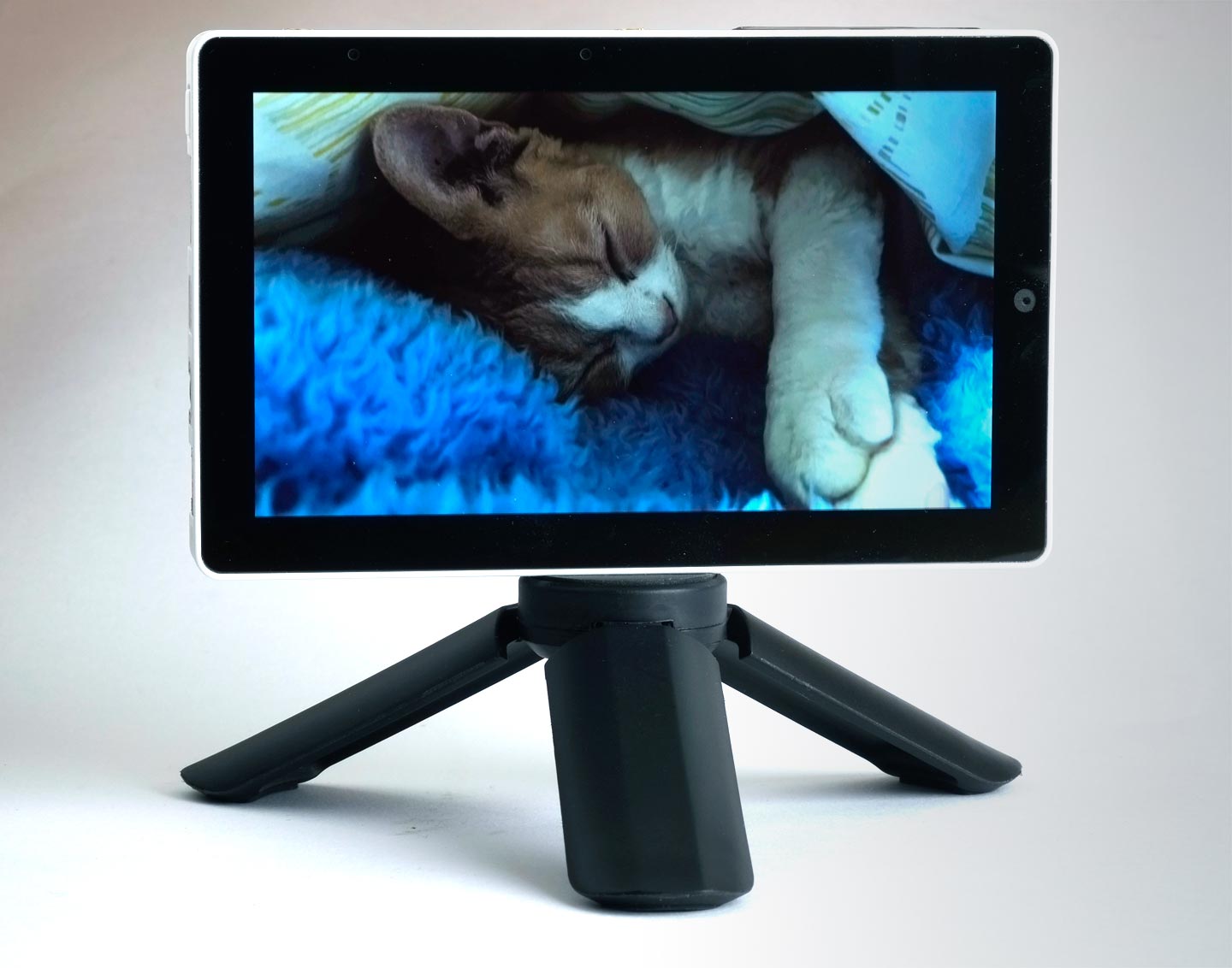
You can decide how often the photograph changes, and you can give family and friends access to the website so they can can upload photographs for your photo frame.
Introduction
I liked the idea of having a digital photo frame, as a convenient way of displaying photographs of my family and friends (and their pets), and so investigated some commercial options. But I was put off by the price, and the need to sign up for an online cloud-based service; I didn’t want my photographs to be leaked to the Internet, or used to train AI. I therefore decided to build my own.
I’d recently been experimenting with the M5Stack Tab5 and realised this would make an excellent photo frame, and it costs less than most commercial products. All I would need is the firmware which I could write in Lisp.
Photo format
The M5Stack Tab5 display has a resolution of 1280 x 720, which is a widescreen 16:9 aspect ratio, and the colour rendition is extremely good. I decided to base the photo format on my GIF decode/encode extension for uLisp, so photos to be displayed on the frame have to be encoded as GIF files. I use Photoshop to format the photos as 256-color GIFs, using 75% diffusion dithering, giving results indistinguishable from the originals. Alternatively there are web sites that will do the format conversion and dithering as a service. The size of a typical photograph is 500KB.
The program
Getting started
With the GIF decode/encode extension installed you can display a GIF image from the M5Stack Tab5 SD card by calling:
(with-sd-card (str "SleepyCat.gif") (decode-gif str))
where the parameter str to decode-gif is a serial stream.
However, I wanted to display the images from a website instead, to allow me to change the photos displayed by the photo frame remotely, and to allow other people to submit photos.
The website
To serve the images to the digital photo frame I set up a website www.wackyimage.com using a simple HTTP Content-Management System with log-in access for me and each of the other users. The site has one page containing a list of the images to be displayed. Here’s part of it:
<body>
<p>Insert photos here! GIF format, image size 1280 x 720.</p>
<p><img src="/pictures/k58/sleepycat.gif" alt="SleepyCat.gif" /></p>
<p><img src="/pictures/k58/wedding.gif" alt="Wedding.gif" /></p>
<p><img src="/pictures/k58/coffeeshop.gif" alt="CoffeeShop.gif" /></p>
<p><img src="/pictures/k58/catsinboxes.gif" alt="CatsInBoxes.gif" /></p>
</body>
How the digital photo frame works
The digital photo frame performs the following steps:
- Connects to the local Wi-Fi network, by calling wifi-connect.
- Calls collect-pics-list which logs in to the website and loads the page /show?K5A.
- Calls collect-pics to compile a list of the image URLs on that page.
- Calls display-pic to display the first photo.
These steps are explained in the following sections.
Connecting to the Wi-Fi network
First we connect to the local Wi-Fi network by calling the uLisp Wi-Fi function wifi-connect:
(wifi-connect "Mynetwork" "mypassword")
(delay 5000)
There’s a delay of 5 seconds to allow the connection to complete.
Loading the list of pictures
The function collect-pics-list fetches the page /show?K5A containing the list of pictures for display on the photo frame, and calls collect-pics:
(defun collect-pics-list nil
  (with-client (s "www.wackyimage.com" 80)
    (format s "GET /show?K5A HTTP/1.0~a~%" #\Return)
    (format s "Host: www.wackyimage.com~a~%" #\Return)
    (format s "Cookie: LOGIN=WI1NDlkNmE4YzBmZmE4MTQyYzNjODk2YzRkZDEwMiIp~a~%" #\Return)
    (format s "Connection: close~a~%" #\Return)
    (format s "~a~%" #\Return)
    (skip-headers s)
    (collect-pics s)))
For security the page is protected by a login cookie. The function skip-headers reads and ignores the HTTP headers until there’s a line containing just a #\Return character:
(defun skip-headers (s)
  (loop (when (= (length (read-line s)) 1) (return))))
Collecting a list of pictures
The function collect-pics scans the page, finds the filename of each picture, and returns them in a list:
(defun collect-pics (s)
  (let (line pics)
    (loop
     (setq line (read-line s))
     (when (search "</html>" line) (return pics))
     (let ((pic (search "/k58/" line))
           (end (search "\" alt=\"" line)))
       (when (and pic end) (push (subseq line (+ pic 5) end) pics))))))
Displaying a photograph
Each photograph is displayed by a call to display-pic with the filename of the picture. This connects to the website and loads a single photo by calling decode-gif:
(defun display-pic (pic)
  (with-client (s "www.wackyimage.com" 80)
    (format s "GET /pictures/k58/~a HTTP/1.0~a~%" pic #\return)
    (format s "Host: www.wackyimage.com~a~%" #\return)
    (format s "Connection: close~a~%" #\return)
    (format s "~a~%" #\return)
    (skip-headers s)
    (decode-gif s)))
The main photo frame function
The global variable *minutes* defines the delay between each photo:
(defvar *minutes* 10)
Here is the main photo-frame function:
(defun photo-frame ()
  (wifi-connect "Mynetwork" "mypassword")
  (delay 5000)
  (let ((nextpic 0) (lastpics 0))
    (loop
     (let* ((pics (collect-pics-list))
            (npics (length pics)))
       (when (> npics lastpics)
         (setq nextpic lastpics)
         (setq lastpics npics))
       (display-pic (nth (mod nextpic npics) pics)))
     (incf nextpic)
     (delay (* 1000 60 *minutes*)))))
It is set up to run automatically when the M5Stack Tab5 is first switched on, using uLisp’s resetautorun feature, by calling:
(save-image 'photo-frame)
It then cycles through the photographs in the list, changing them at a time interval set by *minutes* .
Here’s the whole application in a single file: Digital photo frame.
PS You can get the nice tripod for the M5Stack Tab5 from The Pi Hut here: Small Tripod for Raspberry Pi HQ Camera