Does anyone have a Cardputer Adv, an update to the original Cardputer?
Please let me know if the original uLisp firmware works perfectly on it (I don’t have one to test):

Does anyone have a Cardputer Adv, an update to the original Cardputer?
Please let me know if the original uLisp firmware works perfectly on it (I don’t have one to test):
Hello,
I just bought one Adv. It should take about 4 days to arrive. I will ping you once it has arrived.
Best regard
Hello,
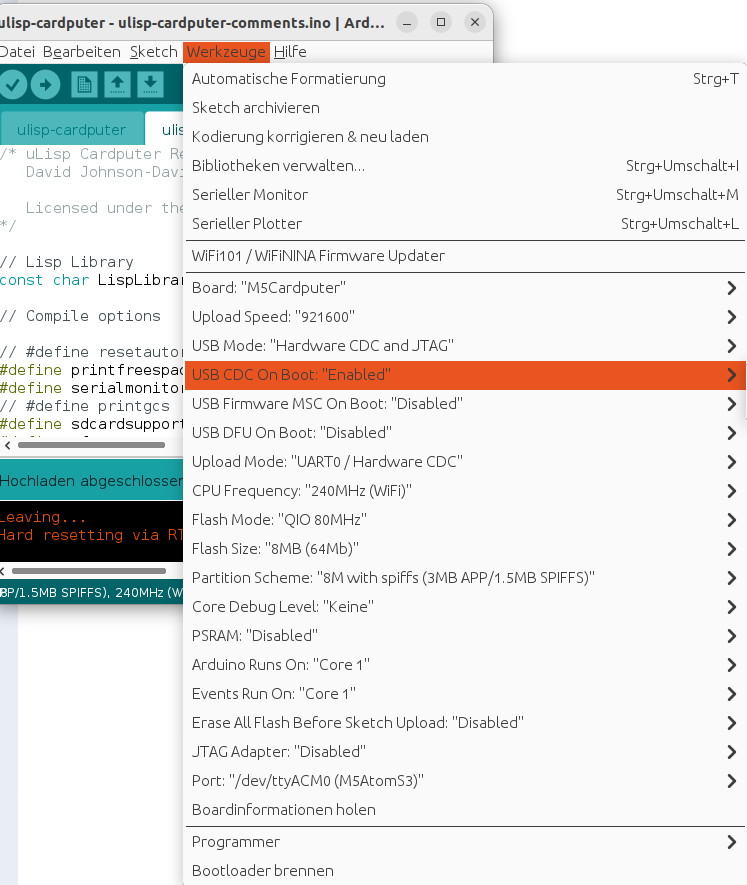
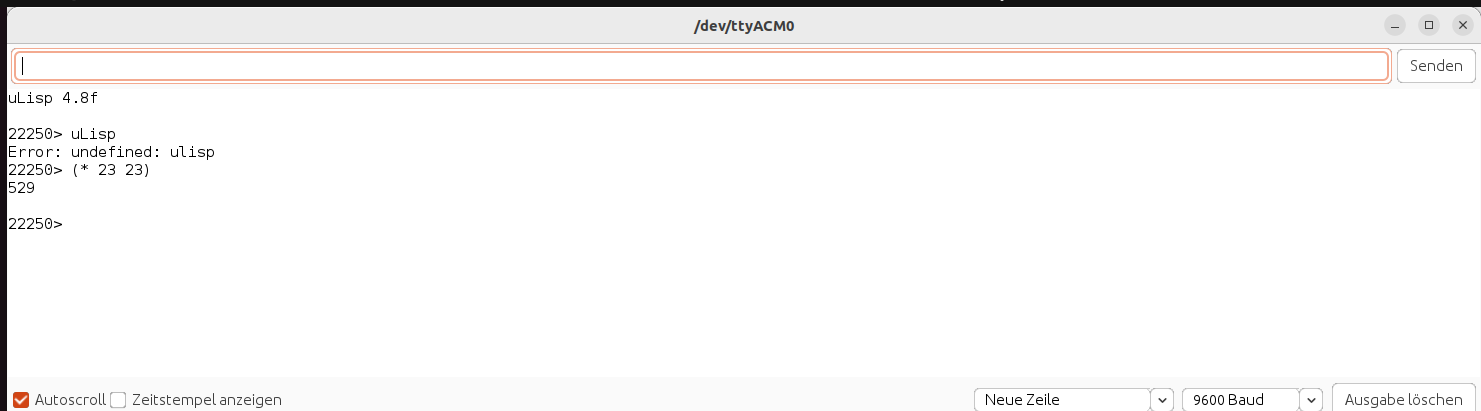
I have successfully uploaded the uLisp-Cardputer firmware (Release 4.8f) to my M5Cardputer ADV using Arduino IDE 1.8.19 on Linux. While the uLisp prompt appears correctly on the device screen, the physical keyboard is completely unresponsive .
Technical Details:
Observations:
(* 23 23) returns 529 on both the serial output and the device screen.M5Cardputer.begin(cfg, true); in the initBoard() function to force keyboard initialization, but the keys remain silent.Best Regards
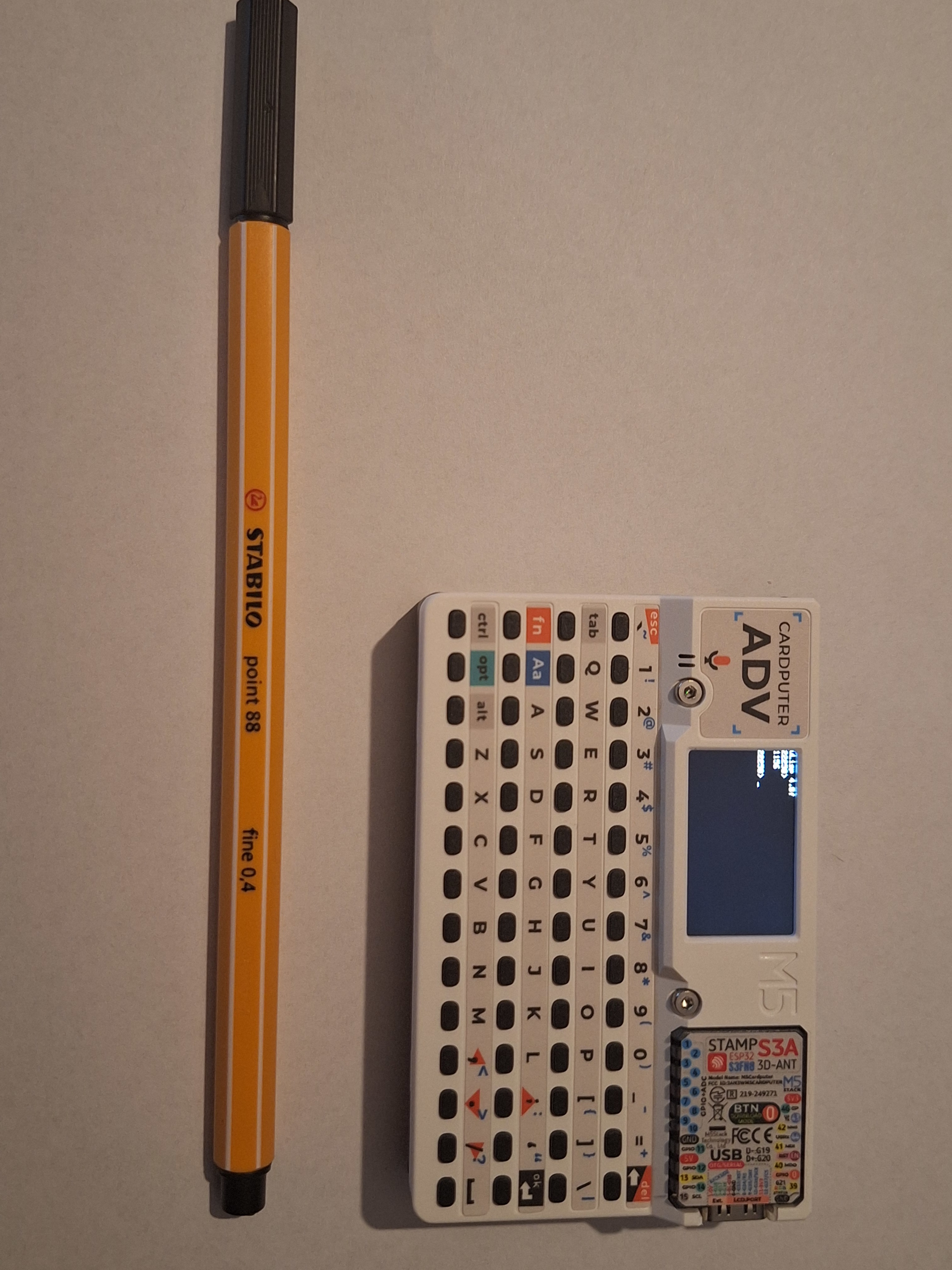
actually is really small :-D
Hello David,
Thanks a lot for your feedback.
I am a bit unsure what you mean by that.
If you are referring to the documentation, it states: ‘You should then see the uLisp prompt on the Cardputer display, and be able to enter Lisp programs at the keyboard.’
That part isn’t working for me; the physical keyboard is completely unresponsive. However, I am able to enter Lisp programs via the Arduino IDE Serial Monitor without any problems. The prompt appears on the device screen, and math commands entered from my PC return the correct results there.
Best Regards
No, sorry to be unclear, I meant the other non-uLisp example programs that come with the Cardputer. This would just provide a check that there’s not a fault with your keyboard.
Hello David,
Good news! the keyboard is now working perfectly on the M5Cardputer ADV using the original, unmodified uLisp 4.8f source code.
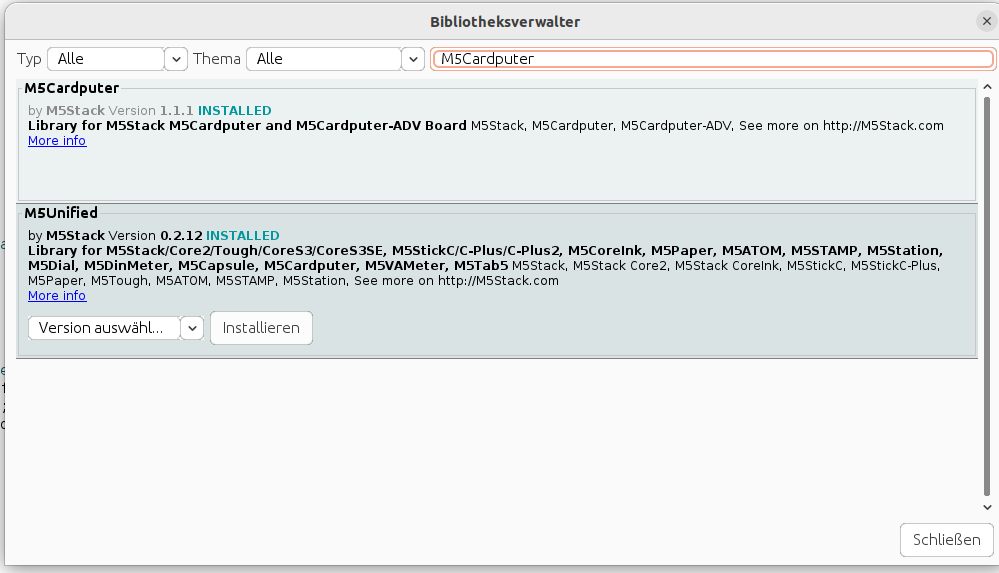
The original M5Stack example programs also failed. After some trial and error, I discovered the fix was purely a library compatibility issue. I updated the following via the Arduino Library Manager to these specific versions:
So far, I have only tested simple arithmetic functions like (+ 2 2) and some basic multiplication to verify the physical keys are registering correctly in the REPL. Everything seems stable.
I will give it a try for more examples next week to see how the device handles more complex scripts.
Thanks a lot!
Best regards,
That’s great news! Does the sound work too, because I believe that’s changed on the Adv? For example:
(defun scale ()
  (mapc
   (lambda (n) (note 0 n 4) (delay 500))
   '(0 2 4 5 7 9 11 12))
  (note))
Hello,
It is working :-D
(scale) play a few tones. (write-byte 7) just one. I also tested (damped) and it generates the green graphic.
Best Regards